Turning 3D printing into an online checkout flow.
Womp makes 3D sculpting accessible in the browser. I designed an end-to-end checkout flow that turns complex manufacturing constraints into a simple, 7-step buying experience.
Product Designer
July 2023 - Nov 2025
End-to-end to production
Womp Core Team
Critique w/ 2 designers & eng
Project Context
Democratizing physical output
Womp removed the CAD barrier for 3D art, but fabricating physical objects remained an intimidating technical obstacle for non-engineers.
Confidence without manufacturing jargon
Creators wanted to order their sculpts without calculating wall thicknesses, resin drainage, or build plate orientations.
A sustainable second revenue pillar
Fabrication introduced a physical monetization stream alongside software subscriptions, expanding creator lifetime value.
Physical laws cannot be negotiated
Digital sculpts can float or have paper-thin walls, but physical SLA prints require watertight geometry, supports, and drainage.
How this came together
Engineering was already building the underlying SLA printing pipeline. My job was to take the technical constraints they gave me: build volume, minimum wall thickness, drainage requirements, and other manufacturing rules: and turn them into a product flow that felt approachable to a Womp creator.
I owned the experience design end to end. The main question was not how to make the manufacturing technology work; it was how to make a technically complex process feel as straightforward as configuring and ordering a product online.
My first approach treated print configuration like another Womp tool: a floating panel where a creator could move between settings freely. That made the experience look flexible, but the decisions were not actually independent. Size affected price, hollowing affected later steps, and changing one setting could invalidate another. I changed the model from a collection of settings into a sequence of dependent decisions.
Design Process
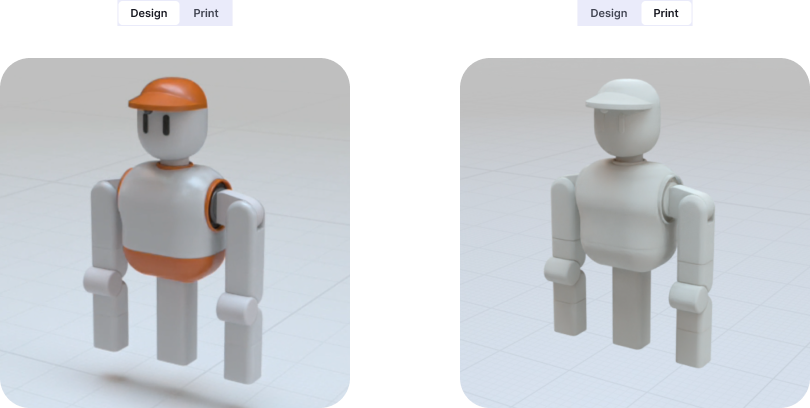
Transition — Design to print
Every model has a Design/Print toggle. Flip to Print and the colorful, editable version becomes the grayscale, print-ready version you're about to order: the real "entering print mode" moment. Simple mode switch, not a locked, animated transition.
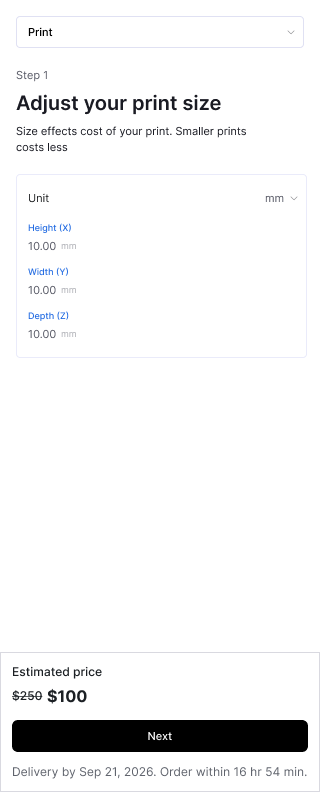
Scale — Set your size
Dimensions (height/width/depth in mm) drive price directly, recalculated live as you adjust. Cost is in the creator's hands from the first screen, the way a retail configurator shows price change as you pick options.
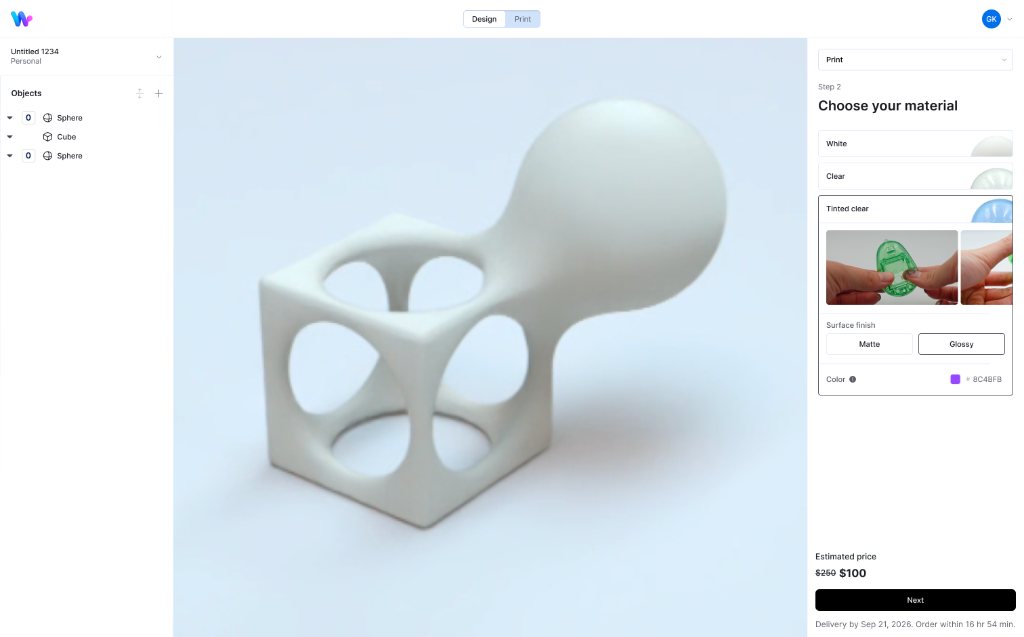
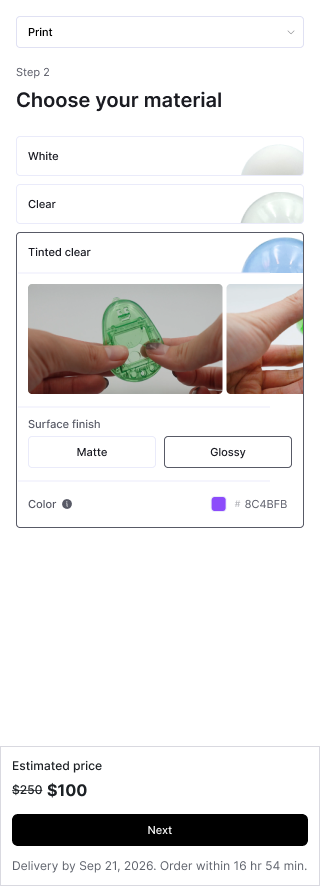
Finish — Choose your material
White, Clear, or Tinted Clear, with surface finish and a color picker. The tinted option shows real photos of an actual printed sample being held: you're shown what the material looks like printed, not a rendered guess.
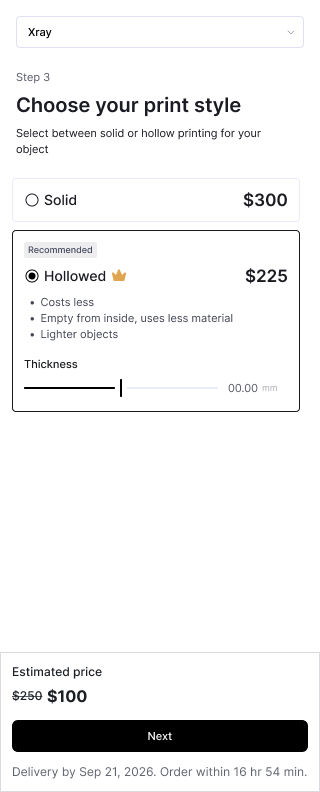
Geometry — Solid or hollow
Both options show price up front: for example, illustrative pricing like Solid at $300 vs. Hollowed at $225 marked "Recommended". Hollowing uses less material and is cheaper than solid printing, steering creators toward it without hiding the trade-off. Hollowing computation takes roughly 2 to 5 seconds of geometry compute.
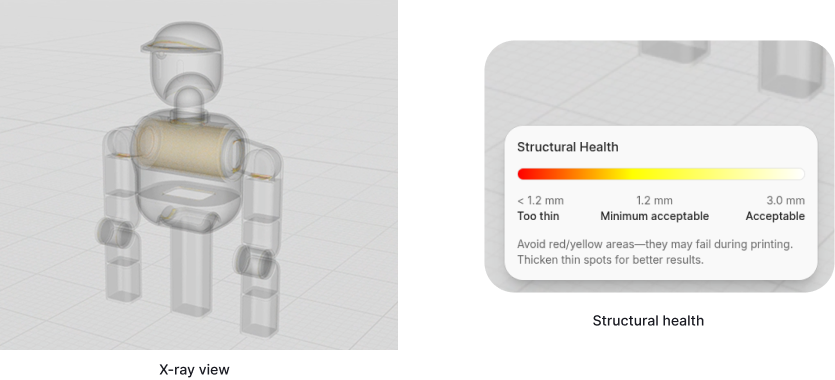
Verification — Check structural health
Switching to the X-ray view surfaces a structural health meter: a gradient from red (under 1.2mm, likely to fail) through yellow to white (3.0mm and up, safe), with a plain-language nudge to thicken any flagged spot before ordering. This is the real verification step: a specific, visible signal a creator can act on, not a locked gate.
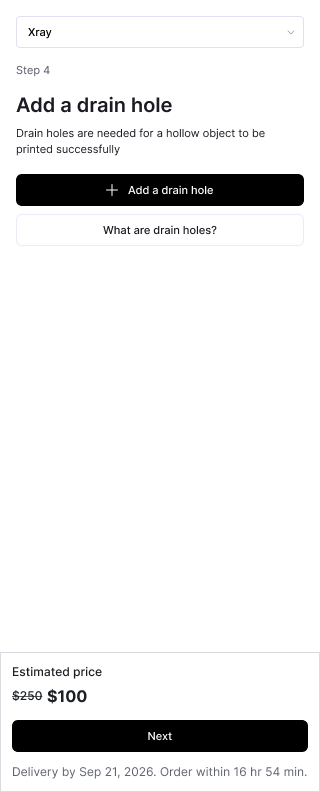
Drainage — Add drain holes (hollow only)
A single "What are drain holes?" link handles the literacy gap in place, instead of assuming creators already know why resin prints need drainage.
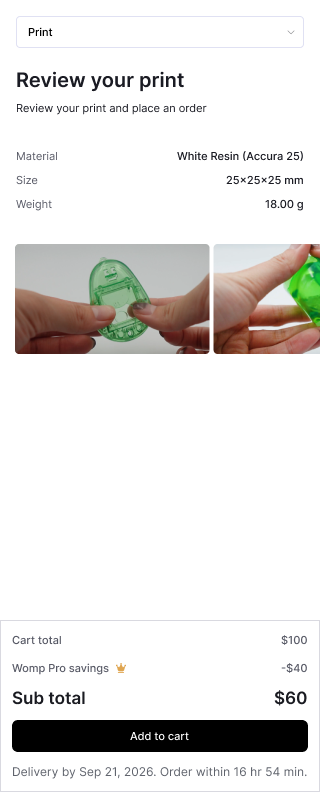
Specifications — Review your print
Final material, size, and weight summary with real product photos, plus the price breakdown (including Pro savings as a visible line item) before committing.
Order — Cart & Checkout
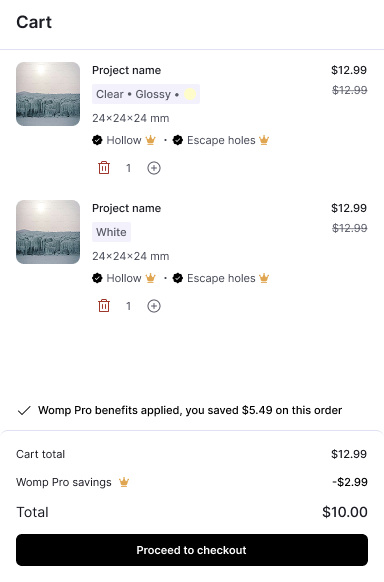
Multiple items, each with its own spec summary and savings applied per line, plus a cart-wide total, before checkout.
Key Trade-offs
Cost anchored from the first screen, not the last
Size changes the price live starting at step 2; solid vs. hollow shows both numbers side by side at step 4. Nothing about total cost is held back until checkout.
Guidance over hard blocking
The structural health meter tells a creator exactly where and why a wall might fail, in plain numbers, rather than issuing a generic error.
Visible Progress over Silent Loading
Slicing and interior geometry generation display continuous visual feedback to avoid perceived freeze.
Outcomes & Impact
Printing was a new revenue stream for Womp and had become a core revenue pillar alongside subscriptions by the time I left.
The experience shipped globally and gave creators a direct way to move from a browser sculpt to a physical SLA object without leaving the product.
The most important product outcome was making an industrial manufacturing workflow intuitive and predictable for creators without manufacturing background, while keeping the physical constraints that mattered front and center.
What I Learned
When software connects to physical manufacturing, you cannot simply hide the underlying rules. The design challenge is deciding what the product should handle for the creator, what it should explain, and where the creator should remain in control.
Make the process simple without pretending the underlying problem is simple.